What is Intelligent Data Capture: Enterprise Guide
Every day, modern enterprises generate, receive, and process an overwhelming avalanche of information. From supplier invoices and customer onboarding forms to complex legal contracts and employee records, data is the lifeblood of business operations. Yet, despite living in a highly digitized world, a surprising number of organizations still rely on manual data entry or outdated optical recognition systems that require constant human intervention.
This operational bottleneck drains resources, introduces costly human errors, and delays critical decision-making.
Welcome to our comprehensive What is Intelligent Data Capture (IDC): Enterprise Guide. In this deep dive, we will explore how shifting from manual processes to AI-driven data automation tools can transform your organization. We will unpack the underlying technology, compare legacy systems with modern solutions, and provide a clear roadmap for enterprise deployment. Whether you are an operations director looking to streamline workflows or a CIO aiming to modernize your tech stack, this guide will equip you with everything you need to know about intelligent data capture.

Chapter 1: Understanding the Basics
To appreciate the value of modern automation, we first need to define the core concepts and understand how they differ from the tools of the past.
What is Intelligent Data Capture?
At its core, intelligent data capture (IDC) is an advanced technology that uses artificial intelligence (AI), machine learning (ML), and natural language processing (NLP) to automatically identify, extract, and structure data from various document types.
Unlike traditional data capture solutions that simply convert an image of a document into raw, unformatted text, IDC systems actually “understand” the context of the information. They know the difference between a total amount due on an invoice and a phone number, even if the document format changes completely from one vendor to the next.
By turning unstructured and semi-structured documents (like PDFs, emails, and scanned images) into structured, actionable data, organizations unlock profound operational efficiencies.
The Evolution of Data Automation Tools
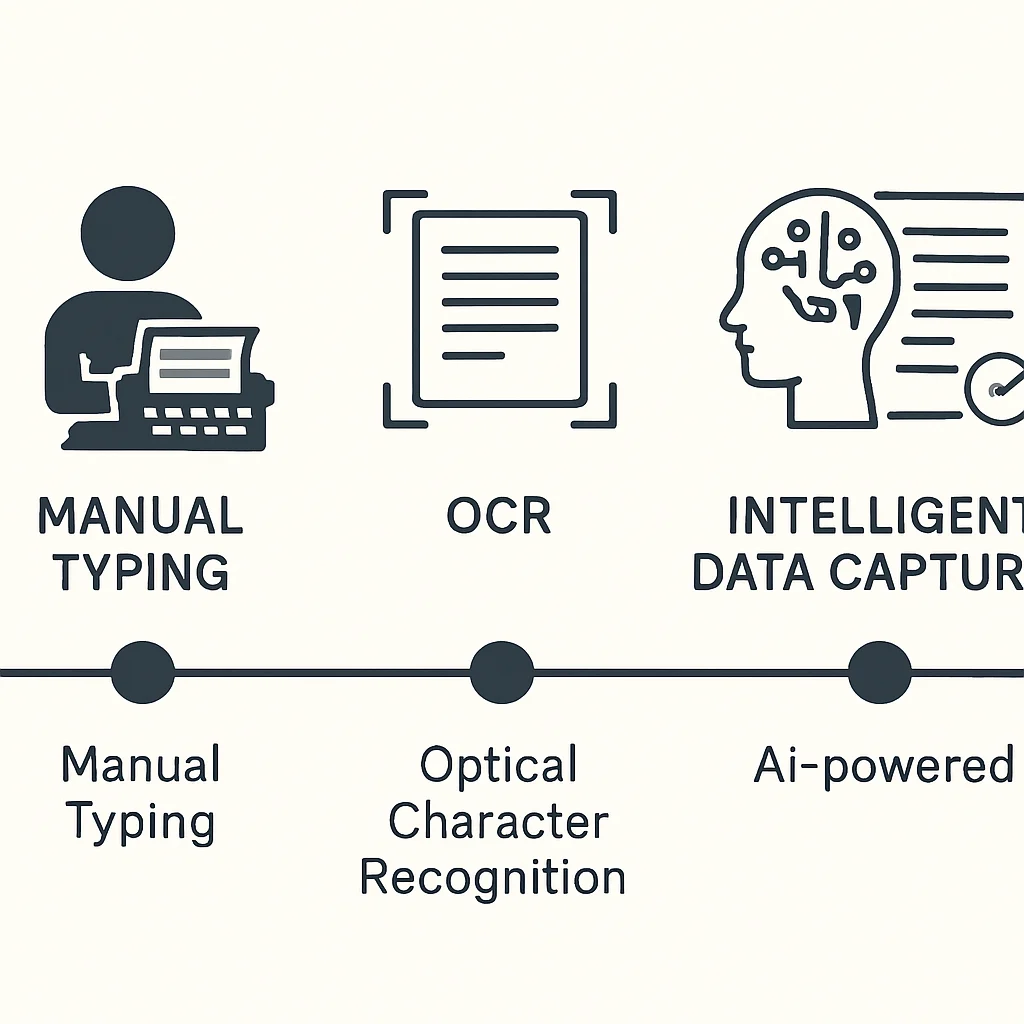
The journey to intelligent data capture has been marked by three distinct phases:
- Manual Data Entry: Human workers physically reading documents and typing the information into a database. This is slow, expensive, and highly prone to errors.
- Traditional OCR (Optical Character Recognition): Software that recognizes text characters in an image. While faster than manual entry, traditional OCR relies on strict, rigid templates. If a vendor moves their “Invoice Number” field half an inch to the left, the template breaks.
- Intelligent Data Capture: The modern standard. By combining OCR with AI, these systems learn and adapt. They do not need rigid templates because they understand context, just like a human reader would.
Chapter 2: The Core Technology Explained
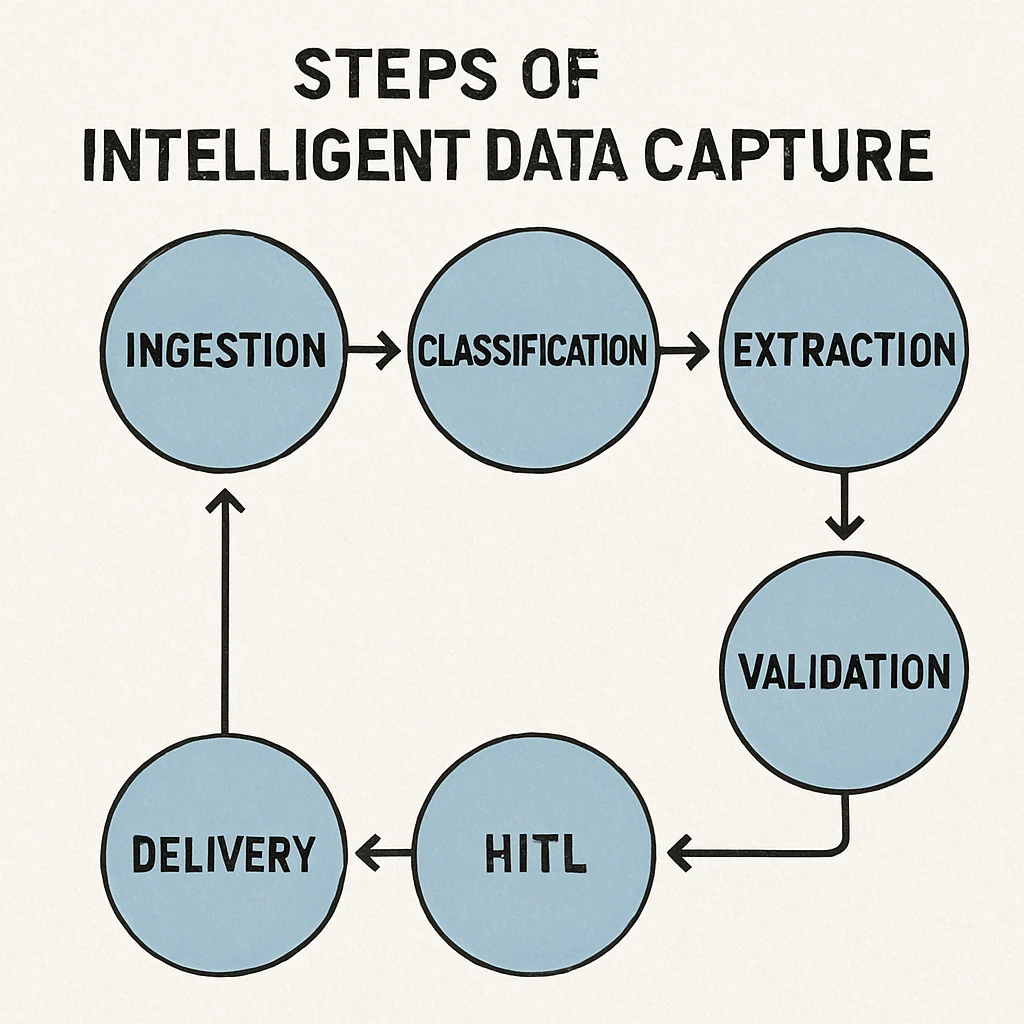
A common question among enterprise leaders is: how does intelligent data capture work under the hood? The process is a sophisticated orchestration of several distinct technologies working in harmony. Here is the step-by-step workflow of a standard enterprise IDC system.
Step 1: Multi-Channel Ingestion
Documents enter an enterprise through countless channels. An intelligent system automatically monitors these channels—such as email inboxes, FTP servers, web portals, and mobile app uploads—and ingests the documents as soon as they arrive. This eliminates the need for employees to manually download and route files.
Step 2: Document Classification and Routing
Once ingested, the system must figure out what the document is. Is it a purchase order? A tax form? A customer complaint letter?
This is where machine learning for document classification shines. The AI analyzes the document’s structure, keywords, and layout to categorize it instantly. Because it utilizes machine learning, the system continuously improves. If it occasionally misclassifies a rare document type, a human operator corrects it, and the ML algorithm learns from that correction to ensure accurate classification the next time.
Step 3: Contextual Data Extraction
After classification, the system extracts the targeted information. This is significantly enhanced by natural language processing in document capture. NLP allows the software to read paragraphs of unstructured text and pull out specific entities—like names, dates, clauses, or financial figures.
This step is vital for processing unstructured data for business intelligence. For example, a legal team can use NLP to automatically extract non-compete clauses from hundreds of different employment contracts, transforming raw text into a structured database that can be analyzed for risk.
Step 4: Data Validation and Enrichment
Extraction alone isn’t enough; the data must be accurate. The software automatically cross-references the extracted data against existing enterprise databases. If the system extracts a vendor name and a purchase order number from an invoice, it will ping your ERP system to verify that the PO number actually belongs to that vendor.
Step 5: Human-in-the-Loop (Exception Handling)
If the system encounters a highly degraded document (like a blurry, coffee-stained scan) or data that fails the validation check, it flags the document for human review. This “Human-in-the-Loop” (HITL) approach ensures 100% data accuracy while focusing human effort only on exceptions, rather than routine processing.
Step 6: Seamless System Delivery
Finally, the validated data is formatted and pushed into downstream systems—such as ERPs, CRMs, or business intelligence dashboards—ready for immediate use.
Chapter 3: Intelligent Document Processing vs OCR
To fully grasp the enterprise value of IDC, we must address the most common point of confusion in document automation. When discussing modernization, IT leaders frequently ask about intelligent document processing vs OCR.
While they are related, treating them as interchangeable is a critical mistake.
Traditional OCR: The Blind Reader
Standard Optical Character Recognition is essentially a blind reader. It looks at a pixelated image and translates it into digital text characters.
- Strengths: Great for converting a scanned book into a searchable PDF.
- Weaknesses: OCR cannot distinguish between a date of birth and an invoice due date. It relies on Zonal OCR (drawing boxes on a template to tell the software exactly where to look). If the document layout changes, the extraction fails.
IDP / IDC: The Cognitive Reader
Intelligent Document Processing (which encompasses Intelligent Data Capture) uses OCR merely as a foundational step. Once the text is digitized, the AI takes over.
- Contextual Awareness: It understands what the text means.
- Template-Free: It does not require you to draw boxes or create rules for every new vendor layout.
- Adaptability: It can process highly unstructured documents, such as long-form emails or unstructured contracts.
The Enterprise Takeaway: Relying solely on legacy OCR forces your IT team to spend hundreds of hours maintaining templates. Upgrading to intelligent data capture eliminates this maintenance burden and allows your system to handle document variability with ease.
Chapter 4: Key Benefits for the Modern Enterprise
Implementing modern data automation tools is a significant enterprise initiative, but the rewards are transformative. Here are the primary advantages your organization can expect to realize.
1. Drastically Reducing Manual Data Entry Errors
Humans are incredibly capable, but we are not built for repetitive, high-volume data transcription. Fatigue, distractions, and simple typos lead to “fat-finger” errors. In a corporate environment, a misplaced decimal point on an invoice or a misspelled name on an onboarding document can result in compliance violations, delayed payments, or ruined customer experiences.
By automating this process, enterprises are successfully reducing manual data entry errors to near-zero levels. Algorithms do not get tired, ensuring consistent, reliable outputs regardless of the processing volume.
2. Amplifying Operational Speed and Productivity
What takes a human worker five minutes to read, comprehend, type out, and verify takes an intelligent system fractions of a second. Improving data extraction accuracy with AI doesn’t just reduce mistakes; it accelerates the entire business lifecycle. Faster document processing means faster loan approvals, quicker customer onboarding, and expedited supply chain movements.
3. Enabling Cognitive Automation for Invoice Processing
One of the most immediate and impactful use cases for IDC is in Accounts Payable (AP). Cognitive automation for invoice processing allows businesses to ingest invoices in dozens of different languages and currencies, automatically match them to purchase orders and receiving reports (three-way matching), and route them for payment approval. This prevents late-payment penalties, allows enterprises to capture early-payment discounts, and frees up AP staff to focus on vendor relationship management rather than data entry.
4. Unlocking the Value of Hidden Data
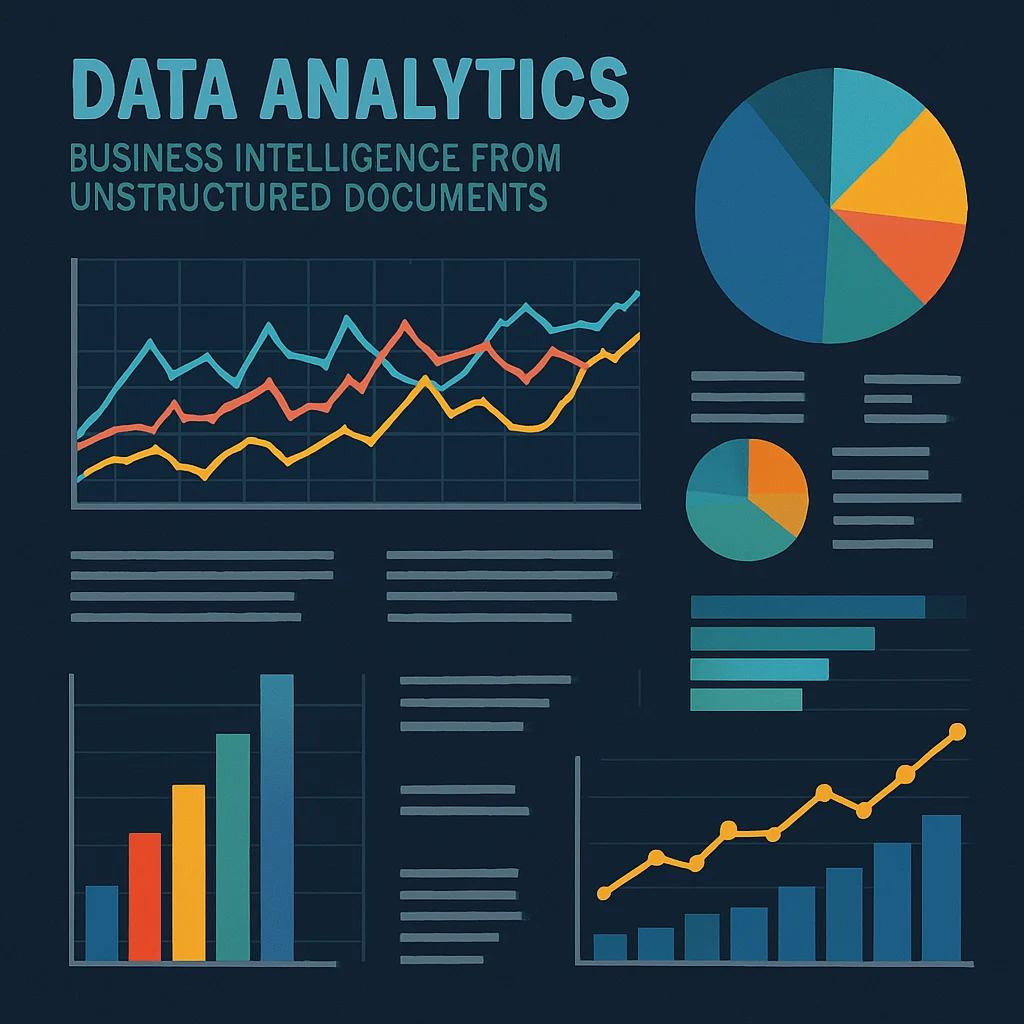
Estimates suggest that up to 80% of enterprise data is trapped in unstructured formats. The benefits of AI-powered document extraction extend far beyond mere cost savings; they enable true business intelligence. By pulling actionable data out of emails, customer feedback forms, and service logs, leadership teams gain unprecedented visibility into market trends and operational bottlenecks.
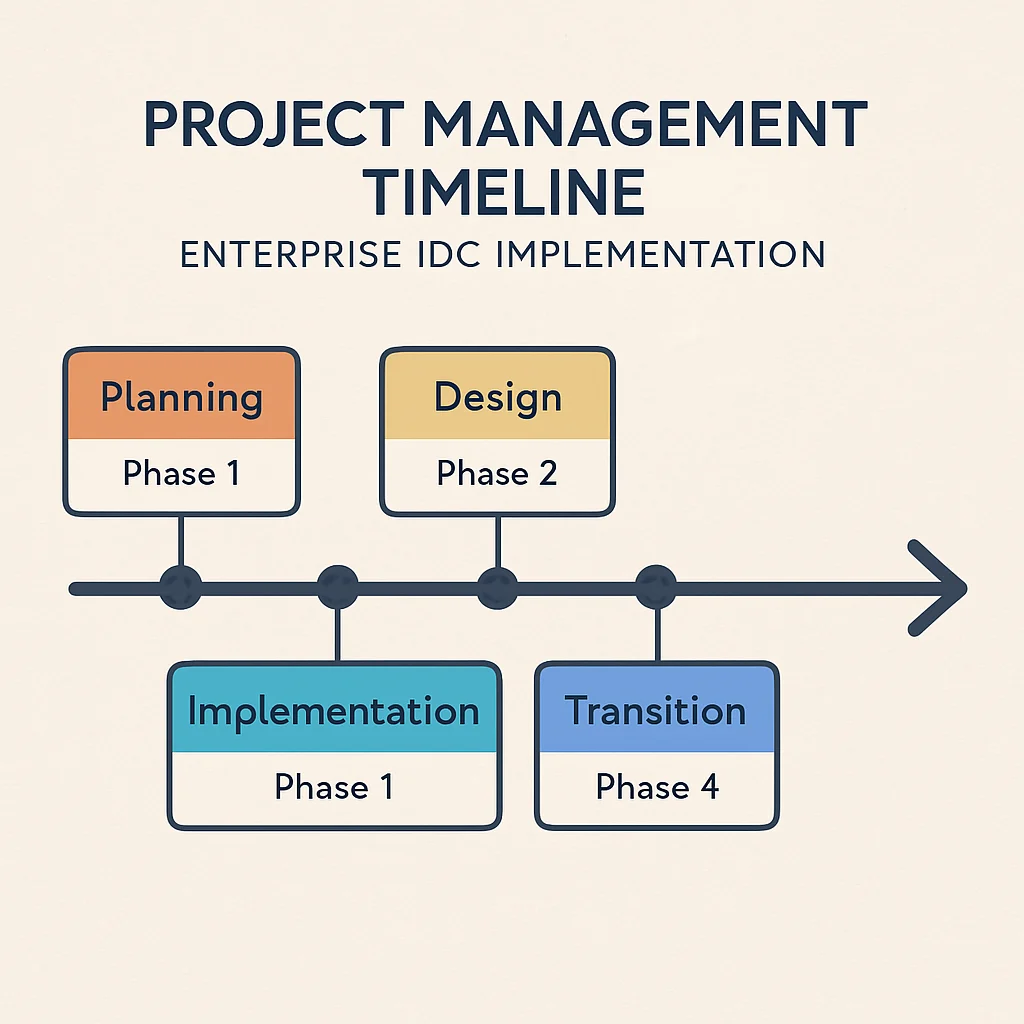
Chapter 5: Enterprise IDC Implementation Roadmap
Understanding the technology is only half the battle. Successfully deploying it across a sprawling corporate environment requires a strategic approach. Follow this enterprise IDC implementation roadmap to ensure a smooth, high-ROI rollout.
Phase 1: Needs Assessment and Use Case Prioritization
Do not attempt to automate every document in your enterprise at once. Start by identifying the processes that suffer from the highest volume of documents, the most manual effort, and the highest error rates.
Actionable Tip: Accounts Payable, HR onboarding, and customer claims processing are traditionally excellent starting points. Map out the current manual workflow step-by-step to establish a baseline for your ROI calculations later.
Phase 2: Selecting the Best Intelligent Data Capture Software for Enterprises
The market is flooded with data automation tools, but not all are built for enterprise scale. When evaluating the best intelligent data capture software for enterprises, look for the following criteria:
- Pre-trained AI Models: Does the software come with out-of-the-box understanding of common business documents (like invoices, receipts, and identity documents)?
- Ease of Use: Can business users (not just developers) train the system to recognize new document types through an intuitive interface?
- Integration Capabilities: Does it offer robust APIs and pre-built connectors for your specific tech stack?
Phase 3: Prioritizing Data Security in Automated Capture Systems
Enterprises handle highly sensitive information—Personally Identifiable Information (PII), Protected Health Information (PHI), and proprietary financial data. Therefore, data security in automated capture systems cannot be an afterthought.
Ensure your chosen vendor offers:
- End-to-end encryption (data at rest and in transit).
- Role-based access controls (RBAC) to ensure human-in-the-loop reviewers only see documents they are authorized to view.
- Compliance certifications relevant to your industry (e.g., SOC 2 Type II, GDPR, HIPAA).
- Data redaction features that can automatically black out sensitive information before passing documents to downstream systems.
Phase 4: Integrating Automated Capture with Legacy Systems
A data capture system is useless if it exists in a silo. Integrating automated capture with legacy systems—like older ERPs, mainframes, or bespoke CRMs—is often the most complex part of deployment.
There are generally two approaches here:
- API Integration: The modern, preferred method. The IDC software communicates directly with the database of your modern SaaS applications.
- RPA (Robotic Process Automation) Integration: If you are dealing with a legacy system that lacks APIs, you can use RPA bots. The intelligent data capture system extracts the data, and the RPA bot takes that structured data and mimics human keystrokes to type it into the legacy mainframe interface.
Phase 5: Pilot Testing and Machine Learning Training
Roll out the technology to a limited pilot group. During this phase, the system will encounter document formats it has never seen before. Ensure your staff is properly trained on how to use the HITL interface to correct exceptions. Remember, every correction made by a human during the pilot phase trains the machine learning model, making the system smarter and more autonomous for the eventual global rollout.
Chapter 6: Scaling and Measuring Success
Once your initial pilot is successful, it is time to expand. Expanding requires infrastructure that can handle fluctuating volumes without crashing.
Designing Scalable Data Capture Solutions for Large Organizations
As you roll IDC out to different departments globally, document volumes can spike dramatically (e.g., at the end of a fiscal quarter or during a holiday season). Scalable data capture solutions for large organizations are almost exclusively cloud-native. By leveraging cloud infrastructure, your capture systems can automatically spin up additional computing resources to process thousands of documents simultaneously during peak times, and scale down during quiet periods to save costs.
Furthermore, a scalable solution allows you to deploy centralized “Centers of Excellence” (CoE) for automation. A CoE can govern how different departments build workflows, ensuring best practices and security protocols are maintained as the technology spreads from Accounts Payable to HR, Legal, and Procurement.
Calculating the ROI of Intelligent Document Processing
To justify further expansion, you must be able to prove the value of the investment to the C-suite. The ROI of intelligent document processing is typically calculated across three dimensions:
- Hard Cost Savings (FTE Reallocation): Calculate the number of hours your team previously spent on manual data entry, multiplied by their hourly loaded rate. Compare this to the cost of the software license. Note: Most enterprises do not use IDC to fire staff; they use it to reallocate staff to higher-value, revenue-generating tasks.
- Error Remediation Savings: How much did a data entry error cost your company in the past? (e.g., compliance fines, overpaying a vendor, lost customers). Multiply that cost by the reduction in error rates.
- Process Acceleration Value: How much revenue is gained by processing orders 80% faster? How many early-payment vendor discounts are captured because invoices are processed in one day instead of two weeks?
Actionable Metric Tracker: Build a live dashboard monitoring three key KPIs:
- STP (Straight-Through Processing) Rate: The percentage of documents processed from end-to-end without zero human intervention.
- Average Processing Time: Time taken from document ingestion to data delivery.
- Cost per Document: Total cost of the system (including HITL labor) divided by total volume.
Chapter 7: Actionable Tips for Enterprise Success
To conclude our guide, here are a few advanced best practices to keep in mind as you embark on your automation journey:
- Don’t ignore Change Management: Employees may fear that AI is coming for their jobs. Communicate clearly that these data automation tools are designed to remove the most tedious, frustrating parts of their day, empowering them to do more meaningful work.
- Optimize the Source Documents Where Possible: While IDC is brilliant at reading messy data, garbage in still equals garbage out. If you have internal forms that are notoriously difficult to read, take a moment to redesign them. Small tweaks to internal document layouts can boost your STP rate from 85% to 98%.
- Establish a Feedback Loop: Schedule monthly reviews with the operators handling the “Human-in-the-Loop” exceptions. They will provide invaluable insights into recurring vendor errors or software limitations that can be easily addressed with a quick system tweak.
Conclusion
The era of manual document processing is rapidly coming to an end. As we have explored in this guide, the transition to modern automation is no longer just a futuristic concept—it is a present-day imperative for any enterprise wishing to remain competitive, agile, and secure.
By deeply understanding how intelligent data capture works, prioritizing seamless integration with legacy systems, and focusing on continuous machine learning improvements, organizations can finally conquer their document mountains. You now have the knowledge and the enterprise roadmap required to turn unstructured documents from an operational burden into a strategic, data-driven advantage.
Embrace the technology, empower your workforce, and unlock the true intelligence hidden within your enterprise data.
Further Reading & Authoritative Sources
The following organizations and industry analysts provide authoritative guidance on the topics covered in this article: