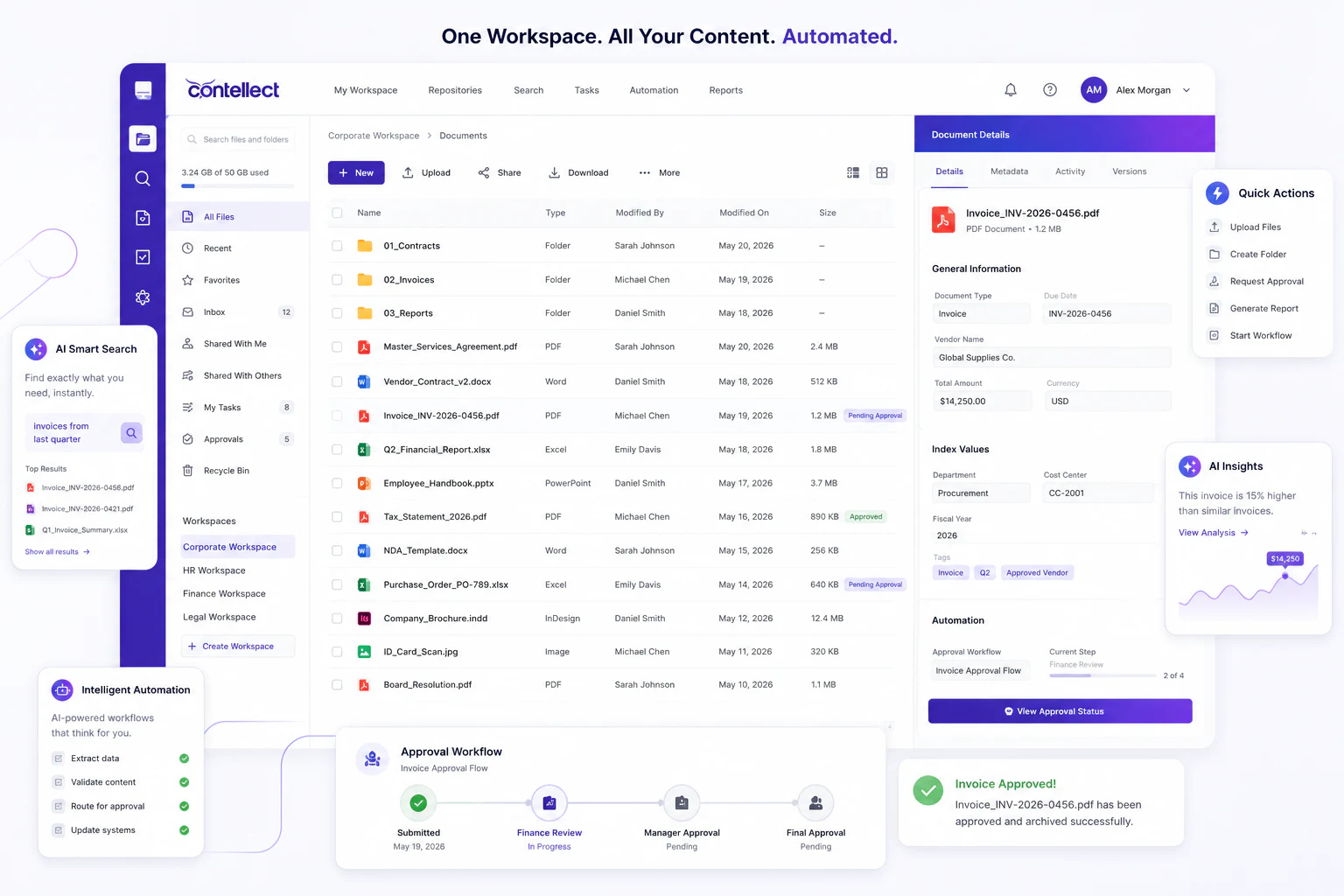
Workspace Setup
Create spaces by project, department, case, supplier, customer, audit, or business solution.
Give every team the context to move work forward.
Create secure collaborative workspaces for projects, cases, departments, documents, approvals, and business solutions with Contellect One.
Collaborative workspaces are secure digital environments where teams manage documents, tasks, approvals, messages, decisions, and business context together. Contellect One helps organizations create governed workspaces for projects, cases, departments, suppliers, customers, audits, and operational processes.
The redesigned page positions collaborative workspaces as operational environments, not just project folders.
Create spaces by project, department, case, supplier, customer, audit, or business solution.
Bring documents, forms, metadata, comments, generated files, and records into one view.
Assign work, route approvals, track exceptions, manage due dates, and monitor decisions.
Control access, retention, sharing, external participation, audit trails, and workspace lifecycle.
Contellect One makes collaboration part of the business process instead of a separate conversation channel.
Launch a workspace from a template, project, case, form submission, supplier file, or workflow.
Add internal users, partners, approvers, reviewers, and observers with role-based permissions.
Connect documents, folders, metadata, tasks, timelines, comments, and supporting evidence.
Assign work, route approvals, collect feedback, manage exceptions, and generate outputs.
Monitor status, decisions, overdue items, workload, versions, and audit history.
Archive final documents, workspace evidence, decisions, records, and retention context.
Use governed collaborative spaces wherever documents and teams need shared context.
Manage documents, deliverables, approvals, decisions, and tasks for project teams.
Centralize case evidence, communications, reviews, generated letters, and resolution steps.
Coordinate contract requests, attachments, redlines, approvals, signatures, and final records.
Collect certificates, contracts, onboarding forms, compliance evidence, and renewal documents.
Prepare evidence, policies, review notes, responses, and remediation tasks in one workspace.
Give departments shared spaces for procedures, approvals, service requests, and knowledge.
Documents, tasks, decisions, and context stay together instead of across emails and drives.
Teams can see who owns each task, approval, exception, and next step.
Role-based permissions and audit trails protect sensitive content and external collaboration.
Workspace templates help teams launch repeatable solutions without rebuilding structure each time.