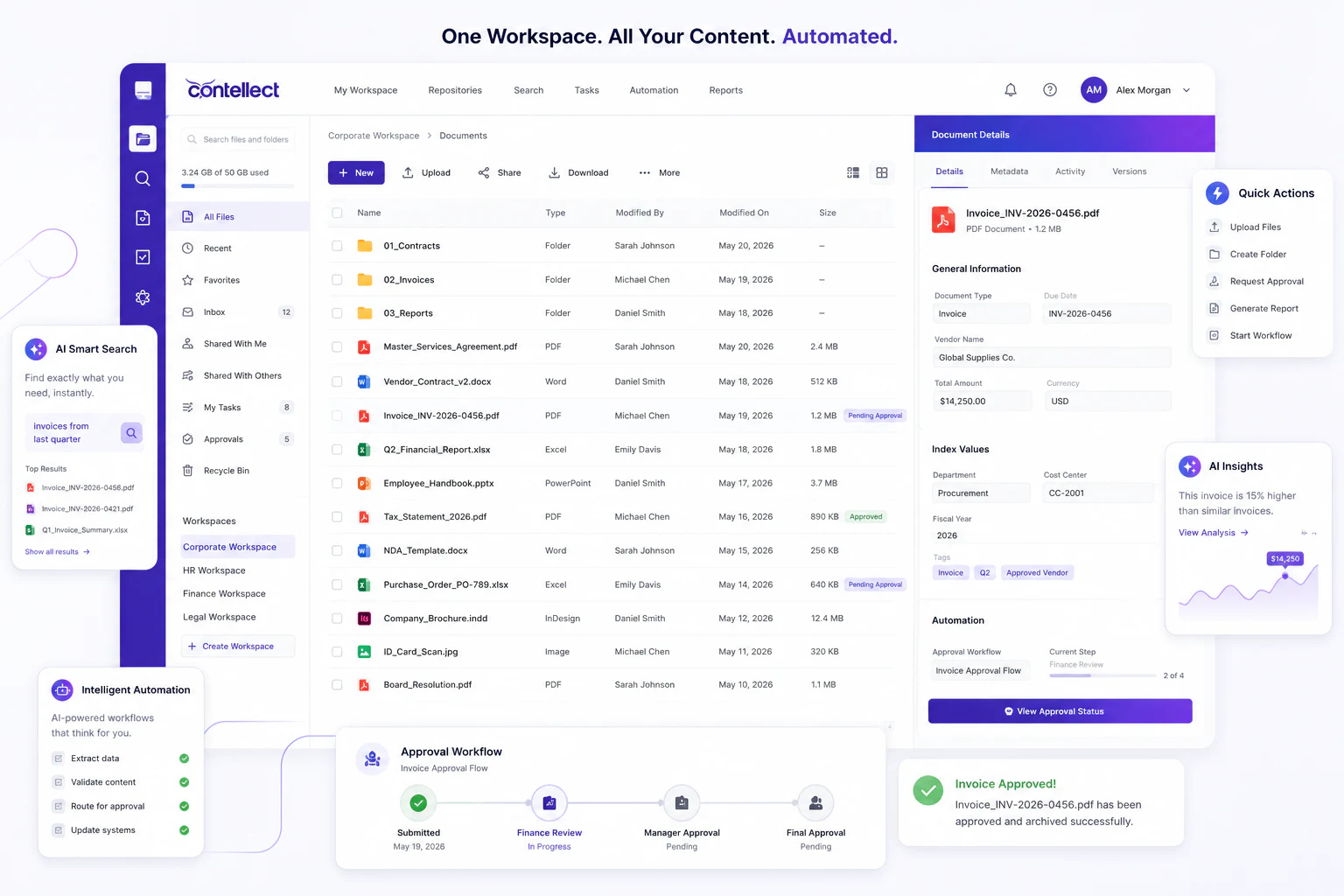
Enterprise Document Workflow Automation
Document workflow automation connects capture, classification, routing, and compliance into one pipeline, cutting processing time by up to 80%.
What is Document Workflow Automation?
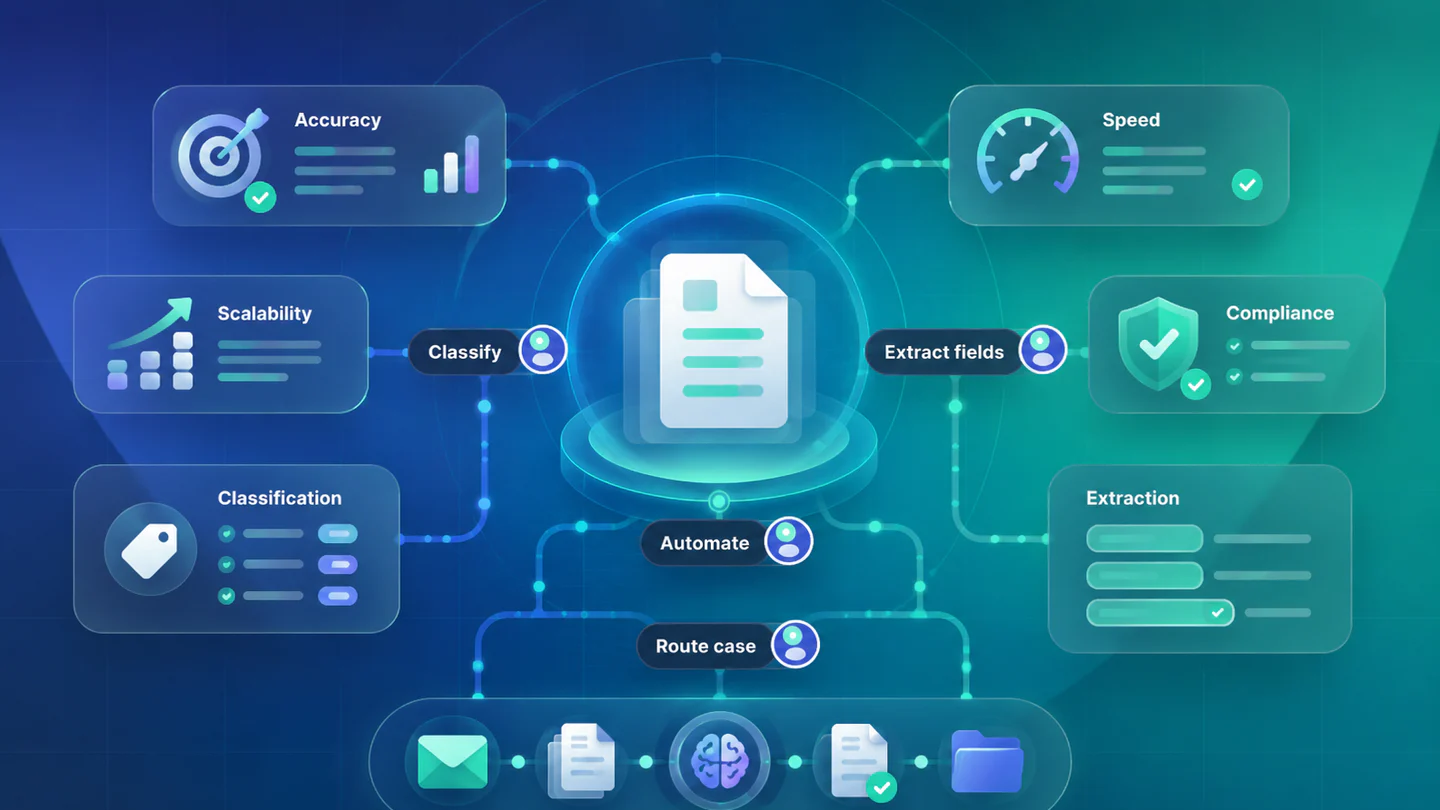
Document workflow automation is the systematic use of software to move documents through predefined business processes without manual intervention. It combines document capture, intelligent classification, business rules engines, approval routing, and system integration into a single end-to-end flow.
Unlike basic document management - which simply stores and retrieves files - workflow automation actively moves documents between people, systems, and actions based on their content, metadata, and business context.
Key Capabilities:
- Intelligent document capture - scan, email, API, and portal ingestion with automatic field extraction
- Content-based classification - ML models that identify document type, business unit, and routing rules
- Conditional routing - multi-level approval chains that adapt based on document values, thresholds, or exceptions
- System integration - native connectors to ERP, CRM, HRMS, and line-of-business applications
- Audit & compliance - tamper-proof activity logs with role-based access and retention enforcement
How It Works: The 5-Stage Pipeline
Every automated document workflow follows the same core pipeline, regardless of document type or industry:
Stage 1 - Capture
Documents enter the system from any source: email attachments, scanned paper, web portals, API feeds from ERP systems, or digital forms. The platform normalizes all formats into processable digital objects.
Stage 2 - Extract & Classify
AI models extract structured data (vendor name, invoice amount, contract dates, patient ID) and classify the document type. This stage delivers core value by transforming unstructured content into actionable data.
Stage 3 - Route
Business rules determine the workflow path: which approvers are notified, which systems receive data, and what validation checks must pass. Conditional logic handles exceptions (e.g., invoices above $50,000 require CFO approval).
Stage 4 - Approve & Action
Stakeholders receive task notifications in their workflow interface, email, or mobile app. They review, annotate, approve, reject, or escalate. Every action is timestamped and logged. Downstream systems receive automatic updates.
Stage 5 - Archive & Audit
Completed documents are stored in a compliant repository with full metadata, version history, and activity trail. Retention policies enforce deletion or archival schedules. Auditors can pull complete document histories in seconds, not days.
Top Enterprise Use Cases
Document workflow automation delivers measurable ROI across every department that processes high volumes of documents. The four highest-impact areas in 2026:
1. Accounts Payable Automation
Invoices are the classic workflow automation use case. An automated AP workflow captures invoice images or PDFs, extracts vendor, line items, and amounts, matches against purchase orders in ERP, routes for approval, and posts to the general ledger - all without human touchpoints for straight-through transactions. Enterprises typically achieve 65-80% straight-through processing rates within 90 days.
2. Contract Lifecycle Management
Contracts move through complex multi-party review cycles. Automated workflows track redlines, enforce review deadlines, route to legal, finance, and executive approvers in the correct sequence, and trigger alerts for renewal dates or compliance milestones. This eliminates the leading cause of contract risk: missed obligations buried in static PDFs.
3. Human Resources Onboarding
New employee onboarding involves 15-25 forms across HR, IT, payroll, and compliance. An automated workflow ensures every form is completed in the correct order, routed for approval, and integrated with HRMS systems - cutting onboarding time from weeks to days.
4. Compliance & Records Management
Regulatory compliance requires demonstrable process controls: who reviewed what, when, and what action was taken. Automated compliance workflows create this evidence trail systematically - without asking employees to manually log their activities. This is especially critical for financial services where audit preparedness is continuous.
How to Implement Document Workflow Automation in 6 Steps
A structured implementation approach ensures fast time-to-value and sustainable enterprise adoption:
-
Document Inventory & Prioritization - Catalog your top 10 most-processed document types by volume and manual effort. Score each on impact × feasibility to identify the highest-ROI starting point.
-
Process Mapping - Map the current state workflow for your top 3 candidates: who receives the document, what decisions are made, which systems need data, and what can go wrong. Identify every manual touchpoint.
-
Platform Selection - Evaluate platforms on five dimensions: AI accuracy on your document types, integration depth with your ERP/CRM, deployment flexibility, compliance coverage, and total cost of ownership. Require a proof-of-concept on your actual documents before committing.
-
Pilot Deployment - Deploy the first workflow end-to-end in a controlled environment with real documents. Measure straight-through processing rate, exception handling accuracy, and user adoption. Target 60-70% automation rate before scaling.
-
Integration & Validation - Connect the workflow to downstream systems (ERP posting, CRM updates, notification systems). Validate data accuracy against source-of-truth records. Run parallel processing alongside the manual process for 2-4 weeks.
-
Scale & Optimize - Roll out to additional document types using the same platform infrastructure. Use analytics dashboards to continuously improve routing logic, reduce exception rates, and expand automation coverage.
ROI & Metrics: What to Measure
Document workflow automation ROI is highly measurable. Track these KPIs from day one:
| Metric | Baseline (Manual) | Automated Target | Impact |
|---|---|---|---|
| Invoice processing time | 8-15 days | Same-day (STP) / 2-3 days (exceptions) | ↑ Early payment discounts, ↓ late fees |
| Cost per document | $12-$30 | $2-$5 | 75-85% cost reduction |
| Straight-through processing rate | 0% | 60-80% | Staff redeployed to exceptions only |
| Audit preparation time | 2-4 weeks | Hours | Continuous audit readiness |
| Document processing errors | 5-12% | <1% | ↓ Rework, disputes, compliance risk |
For a 1,000-employee enterprise processing 50,000 documents per month, the net savings from workflow automation typically range from $2M to $5M annually - with payback periods of 6-12 months for cloud deployments.
Conclusion
Document workflow automation is no longer a luxury for large enterprises - it is a baseline operational requirement for any organization that processes more than a few hundred documents per month. The cost of not automating compounds every year: more staff time consumed, more compliance risk, and growing competitive disadvantage against organizations that have already automated.
The fastest path to ROI is a platform approach: choose a vendor that covers the full pipeline from capture to archive, integrates with your existing systems, and can scale from one workflow to a hundred without rebuilding infrastructure.