Document Classification Software Guide
A vendor-neutral guide to choosing document classification software: how to test accuracy on your own documents, what to score, and what it really costs.
Most document classification software demos look the same. A vendor drops a folder of invoices and contracts into a portal, the screen fills with neatly sorted documents, and a number like 97 percent appears. Then you buy it, point it at your own archive, and the number falls apart.
That gap is what this guide is about. Not what document classification software is, but how to tell two products apart when both claim AI classification, prebuilt integrations and enterprise security, and how to run an evaluation that predicts what you will actually get in production.
The short version: stop buying on accuracy. Buy on straight-through processing rate, measured on your own documents, with your own reviewers in the loop.
What document classification software actually does
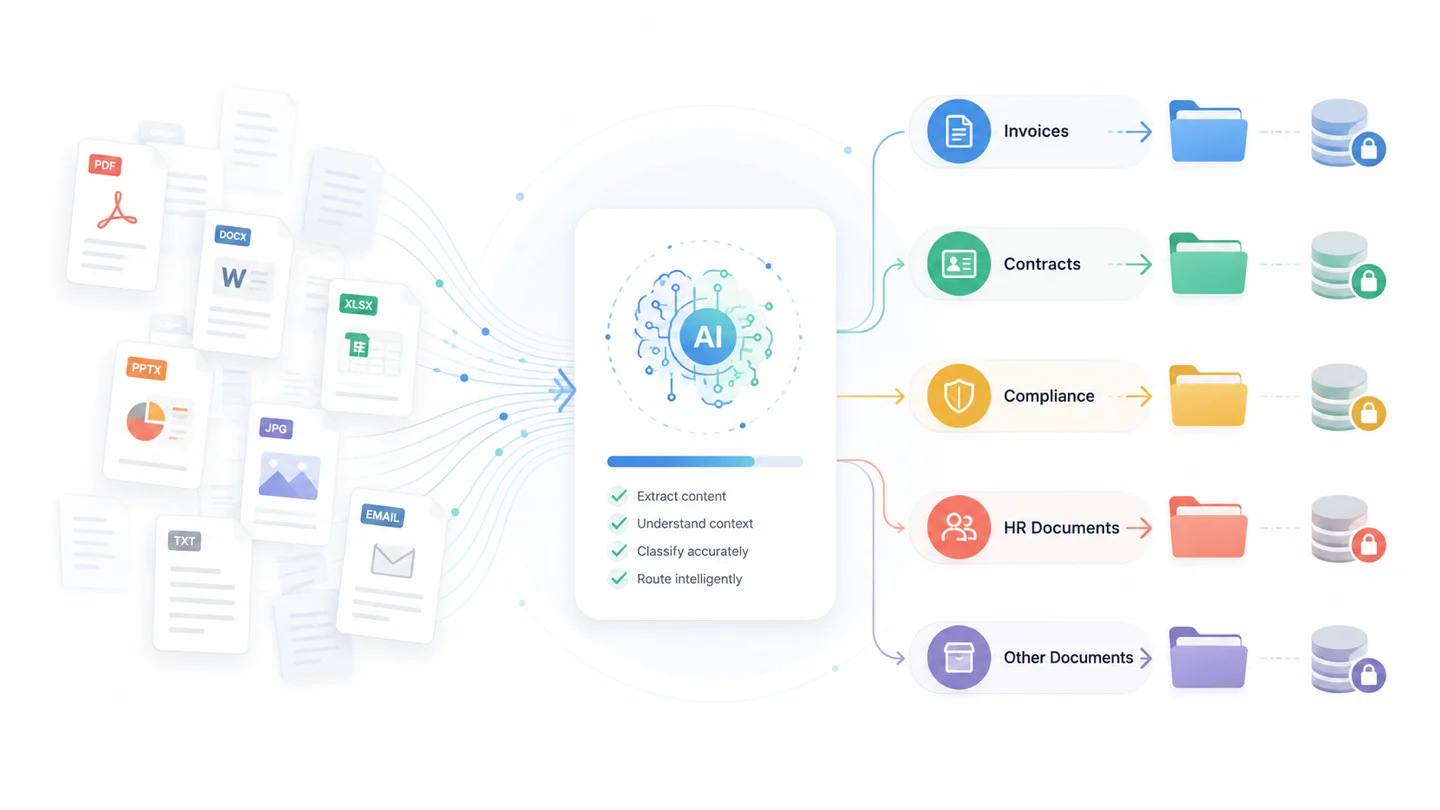
Software that automates document classification assigns each incoming document to a business category based on what it contains. This is a purchase order, that is a remittance advice, this one is a signed NDA. It works across structured forms, semi-structured documents like invoices where the fields are consistent but the layout is not, and wholly unstructured content such as correspondence. It is one step in a chain that vendors and buyers often blur together:
- OCR turns pixels into characters. It has no idea what the document is.
- Classification decides what kind of document it is.
- Extraction pulls named values out of it once the kind is known.
The order matters more than it looks. Extraction rules are usually class-specific, so a misclassification poisons everything downstream. Label an invoice as a delivery note and every extraction rule fires against the wrong template, the wrong approval chain starts, and the error surfaces weeks later as a payment nobody can trace.
The useful output is therefore not the label on its own, but the label plus a confidence score. A classifier that is right most of the time and silent about its failures is a liability. One that reports its own uncertainty can be trusted with the rest, because you can route the doubtful documents to a person and leave the confident ones alone.

Three approaches, and when each one is the right answer
Almost every product on the market is one of these three, or a blend. Vendors rarely say which, so ask.
| Approach | How it decides | Strongest when | Weakest when |
|---|---|---|---|
| Rule-based | Keywords, regular expressions, barcodes, layout zones | Document set is stable and structured, and you need every decision to be explainable | Formats drift, or a supplier changes a template and the rules silently stop matching |
| Trained machine learning | Trained models learned from your labeled examples, sometimes starting from a pre-trained base | You have volume and history, and classes are visually or linguistically distinct | You have no labeled data, or a new class appears with only a handful of examples |
| Large language model | A pre-trained model reads the document and reasons about it, often with no training examples | Classes are described in words rather than learned, long tail of rare types, mixed languages | Cost per document matters at high volume, or you need the same input to give the same answer every time |
Two practical notes. Rule-based classification is unfashionable and still the correct choice for a barcoded, high-volume, unchanging stream, because it is cheap, fast and auditable. And a language model that classifies well with no training data can still be the wrong answer at ten million documents a year, purely on unit cost. Ask which approach handles which part of your mix, and be suspicious of a single answer for everything.
Straight-through processing rate is the number to buy on
Accuracy is a single number that hides the distribution underneath it, which is exactly the information you need. The metric that predicts your operating cost is the straight-through processing rate: the share of documents that clear the system without a person touching them, at a confidence threshold you are willing to defend to an auditor.
The two come apart quickly. Compare two candidates on ten thousand documents a month, one more accurate overall and one better calibrated about its own certainty:
| Accurate but hesitant | Less accurate, well calibrated | |
|---|---|---|
| Headline accuracy | 95 percent | 90 percent |
| Documents auto-cleared at your threshold | 6,000 | 8,500 |
| Documents in the review queue | 4,000 | 1,500 |
| Reviewer minutes at 40 seconds each | 2,667 | 1,000 |
The first candidate wins the demo and costs you an extra 1,667 reviewer minutes every month, roughly one full-time person. The second is less accurate and much cheaper to run, because it is confident when it is right and honest when it is not. Calibration, not raw accuracy, is what you are paying for.
Then ask where the errors land. A confusion matrix tells you that; a percentage never will. Misfiling one delivery note as another delivery note is noise. Misfiling a signed contract as an invoice can put a commitment outside your retention schedule and outside the permission model that was supposed to protect it. Errors are not interchangeable, and the cost of a mistake depends entirely on which two classes got swapped.
So ask every vendor for three things: the confusion matrix on your own sample, the confidence threshold used to produce the auto-clear number, and the resulting straight-through rate. A vendor who will only give you a single accuracy figure is telling you something.
Eight criteria to score every candidate
Product feature lists converge quickly. What separates candidates is how each capability behaves on your documents, at your volumes, under your auditors. Score every candidate against these eight, and insist on testing them against your own sample set rather than the vendor’s demo corpus.
| Criterion | How to test it | What a good answer looks like |
|---|---|---|
| Classification accuracy | Run several hundred of your own documents, including poor scans and mixed-language files | Accuracy on your corpus stays within a few points of the demo figure |
| Time to first useful model | Count calendar days from data handover to a working classifier | Weeks rather than quarters, without an open-ended services engagement |
| Integration depth | Write results back into your ECM, ERP or case system, not just read from a watched folder | Bidirectional sync with field-level mapping and defined error handling |
| Human review loop | Route low-confidence documents to a reviewer and follow the correction path | Corrections feed retraining, and the queue is visible to operations |
| Audit evidence | Ask who classified each document, when, and on which model version | A per-document trail you can export for an auditor |
| Data residency | Confirm where documents are processed and whether they train shared models | Processing in your region, in your tenant, with no training on your content by default |
| Behavior under peak load | Test the month-end or year-end burst, not the average day | Throughput degrades predictably against a documented ceiling |
| Cost at year three | Model volume growth, reprocessing and reviewer time, not just license fees | Cost per document falls as volume rises |
Running a proof of concept that tells you something
Most proofs of concept are theater. They use a curated sample, they are scored by the vendor, and they pass. A useful one is set up to be able to fail.
- Draw the sample at random. Several hundred documents minimum, pulled from a real date range, not picked by whoever is most excited about the project.
- Include the ugly ones. Phone photographs, faxes, documents scanned upside down, multi-document PDFs that need splitting before anything else can happen, forms completed by hand, and any language mix you genuinely receive. Excluding these is how a proof of concept produces a number you cannot use.
- Hold back a test set the vendor never sees. If the same team tunes and scores, you are measuring their tuning, not the product.
- Write down pass and fail before you start. Name the straight-through rate, the maximum acceptable rate for the specific confusions that would hurt you, and the reviewer minutes you can afford. Agreeing this afterwards is how a marginal result becomes a purchase.
- Measure reviewer minutes, not just accuracy. Time how long a correction actually takes in the interface people will use every day.
- Run the burst. Push a month-end volume through and watch what happens to latency and to the queue.
Ask what happens when a document type appears that was never in the training set, and watch whether the system says it does not know or quietly picks the nearest class. The second behavior is far more expensive, and you will only see it if you test for it.
Deployment: cloud, on-premises, or hybrid
Generic pros and cons are not much help here. Four questions decide it in practice.
Where is content allowed to be processed, and does it train anything? This is usually the binding constraint in regulated sectors and the one to settle first. Get it in writing that your documents are not used to train shared models, if that is what you need.
What does peak look like? Elastic capacity is the clearest argument for cloud, and it only matters if your volume is genuinely spiky.
What does it have to write into, and how far away is that? If the system of record is on-premises, classification sitting elsewhere adds a round trip to every document and a new failure mode between them.
Who patches it? On-premises means your team owns upgrades, model updates and the security posture. That is a real staffing cost, and it is the line most often left out of the comparison.
Hybrid earns its complexity when one class of content genuinely cannot leave, and the rest genuinely benefits from elasticity. If neither is true, hybrid is two systems to maintain instead of one. Our guide to cloud-based enterprise content management works through the same trade-off for the wider content platform.

Integration is about write-back, not read-from
Every vendor integrates. Almost all of them mean they can watch a folder or a mailbox, which is the easy half and close to useless on its own. The classification only creates value once the label, the confidence score and the audit trail land in the system where work actually happens.
Press on four things:
- Field-level mapping. Which target field receives the class, and which receives the confidence score? If confidence is dropped on the way in, you have lost the ability to triage.
- Error handling. What happens when the target system rejects the write? A retry policy, a dead-letter queue and an alert, or a silent loss.
- Idempotency. If the same document is processed twice, do you get one record or two? Reprocessing is normal, so this comes up in month two, not year two.
- Reclassification. When a reviewer corrects a label, does the correction propagate to the system of record, or only to the training set? A system that is continuously improving from corrections is worth little if those corrections never reach the place the business actually reads.
The pattern to aim for is that classification is a step inside a wider intelligent document processing flow rather than a standalone tool, so that retention, permissions and routing all inherit the label instead of being set again by hand. That inheritance is where most of the return actually comes from, and it is covered further in our document and content management overview.
What it costs, and where the cost actually sits
License fees are the line everyone compares and rarely the largest one. Over three years the real distribution usually looks like this:
- Reviewer time. Directly set by the straight-through rate. This is why the accuracy conversation above is a cost conversation.
- Integration build. Writing results into a system of record, with mapping and error handling, is a project. Budget it once and expect to revisit it when the target system upgrades.
- Taxonomy maintenance. Classes drift. Someone has to own that, and if nobody does, accuracy decays quietly.
- Reprocessing. Model updates and corrected taxonomies mean re-running historical volume. Ask whether reprocessing is metered.
- License and infrastructure. Per document, per page, per user or per core, and the shape matters as much as the rate.
The healthy signal is that cost per document falls as volume rises. If a quote scales linearly forever, you are funding someone else’s margin on your growth. Model year three, not year one, and ask what happens to the price when volume doubles.
Where classification pays off first
The value shows up wherever a label unlocks a downstream decision rather than merely tidying a folder.
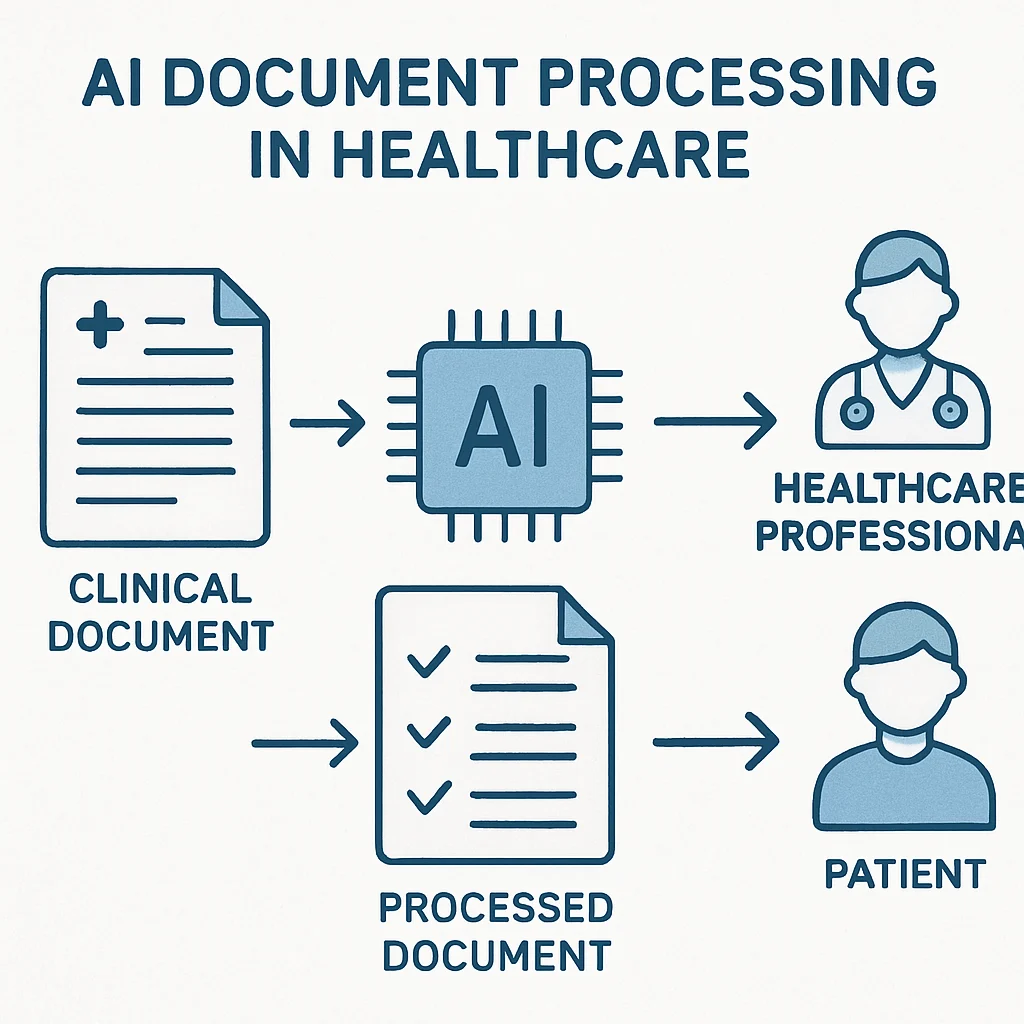
In healthcare, classification separates clinical from administrative content at the point of capture, so records land under the right retention rule and the right access policy without a person choosing. In legal and contracting, it distinguishes an executed agreement from a draft, which is the difference between a binding obligation and a working file. In financial services, the driver is usually evidence: showing an examiner which documents supported a decision, and when. In education, it is volume, with admissions cycles that concentrate a year of paperwork into a few weeks.
The common thread is that classification is worth most where something automatic happens next. If the label only helps a human search later, the return is real but much smaller. Where retention and disposition depend on it, the case is far stronger, which our compliance and records management page goes into.
Five mistakes that show up again and again
- Buying on demo accuracy. The demo corpus was chosen to work. Yours was not.
- Shipping without a review loop. If low-confidence documents have nowhere to go, the system either blocks work or guesses. Both are worse than a queue.
- Too many classes. Forty classes with fuzzy boundaries will always classify worse than twelve with clear ones. Start coarse and split only when a split changes what happens next.
- Leaving the taxonomy unowned. A classification scheme is a living thing. With no owner, accuracy decays and nobody notices until someone cannot find something.
- Ignoring what inherits the label. If retention, permissions and routing are still set by hand afterwards, you have automated the easy step and kept all the expensive ones.
Where Contellect One fits
Contellect One applies classification at the moment of capture, with a confidence score on every decision, so that routing, retention, permissions and search all inherit a reliable label rather than re-deriving one later. Low-confidence documents go to a review queue, and reviewer corrections feed back into the model.
If you are evaluating options, the AI document classification page covers how it works in more detail, and the intelligent data capture guide covers the capture stage that feeds it. If you would rather test it than read about it, ask for a proof of concept on your own documents and hold us to the eight criteria above.